anyr opencode
Route OpenCode through AnyRouter for unified billing, audit logs, and one key that reaches every model. One CLI command, or a custom provider in opencode.json.
Route OpenCode through AnyRouter to get unified billing, request audit logs, and a single API key that reaches every model AnyRouter serves — either with one CLI command or a custom provider in opencode.json.
Setup
Most people should use the CLI helper — anyr opencode handles login, key storage, and the OpenCode provider config for you. Reach for a persistent opencode.json only when you want AnyRouter available every time you run opencode yourself.
The fastest path — one command handles everything:
curl -fsSL https://anyrouter.dev/setup.sh | bash
anyr opencode
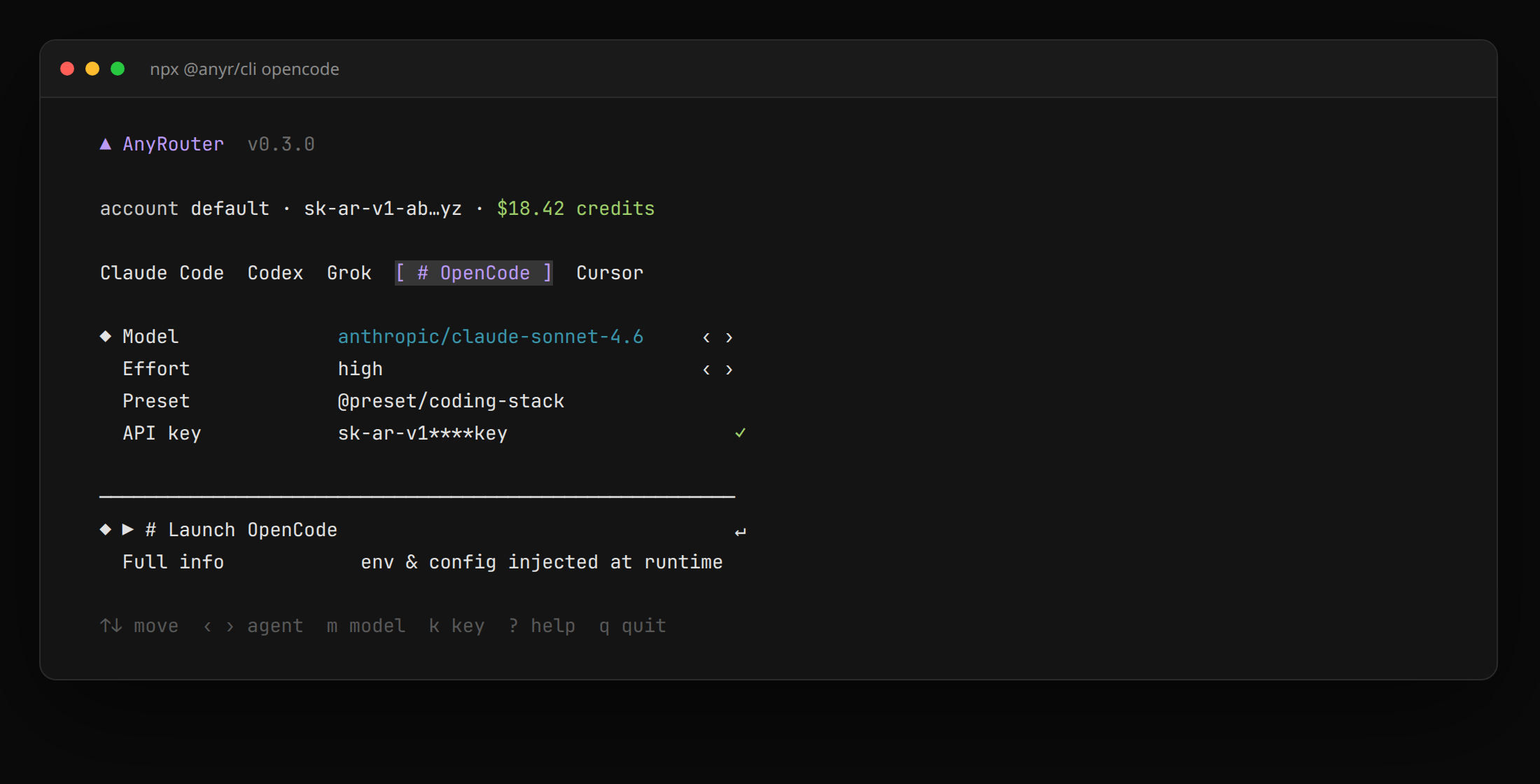
Step 1 — Run the launcher
The first run signs you in automatically (browser when available, device code on SSH/headless). Use --key, --paste, or --device if you need a specific path. See Login with AnyRouter.
Step 2 — Reuse it everywhere
Your config is saved to ~/.anyrouter/config.yaml and reused automatically next time. The same key also powers anyr claude and anyr codex.
Step 3 — Pick models and flags
# Pin a model for the session
anyr opencode --model "anthropic/claude-sonnet-4.6"

# Pass flags through to OpenCode itself
anyr opencode --model auto -- --help

# Preview the resolved environment without running anything
anyr opencode --dry-run
Anything after -- forwards to OpenCode verbatim. See the configuration reference for --model, --effort, --profile, and the rest.
The launcher does not write OpenCode's config files. It injects an OPENCODE_CONFIG_CONTENT provider for that process only — quit OpenCode and your global opencode.json is unchanged.
Step 1 — Create an AnyRouter API key
Head to your dashboard and create a new API key. It is prefixed with sk-ar-. Export it in your shell so OpenCode can interpolate it:
export ANYROUTER_API_KEY="sk-ar-your-anyrouter-key"
Put the same line in ~/.bashrc or ~/.zshrc so it persists across shells.
Step 2 — Add AnyRouter as a custom provider
Create or edit ~/.config/opencode/opencode.json (global) or ./opencode.json (this project):
{
  "$schema": "https://opencode.ai/config.json",
  "provider": {
    "anyrouter": {
      "npm": "@ai-sdk/openai-compatible",
      "name": "AnyRouter",
      "options": {
        "baseURL": "https://anyrouter.dev/api/v1",
        "apiKey": "{env:ANYROUTER_API_KEY}"
      },
      "models": {
        "anthropic/claude-sonnet-4.6": {
          "name": "Claude Sonnet 4.6",
          "limit": { "context": 200000, "output": 65536 }
        },
        "z-ai/glm-5.2": {
          "name": "GLM-5.2",
          "limit": { "context": 1000000, "output": 65536 }
        }
      }
    }
  },
  "model": "anyrouter/anthropic/claude-sonnet-4.6"
}
Key fields:
npm: "@ai-sdk/openai-compatible"— AnyRouter speaks Chat Completions at/api/v1.options.baseURL— must end in/v1.options.apiKey—{env:ANYROUTER_API_KEY}is the environment variable name, not the secret. Do not paste thesk-ar-key into this file.modelskeys — exact AnyRouter model ids; OpenCode sends that string asmodelso the gateway can route.limit— if present, OpenCode requires bothcontextandoutput(context-only JSON fails validation). Omitlimitentirely if you don't know the windows.model—anyrouter/<id>selects the default (provider/model-id).
Step 3 — Run OpenCode
opencode
Use /models in the TUI to pick any id you listed. Add more from the Chat Completions catalog.
{env:ANYROUTER_API_KEY} only resolves if the variable is in the process that launches OpenCode. Desktop launchers that do not inherit your shell rc will see an empty key — export it in the launcher, or run opencode from a terminal where echo $ANYROUTER_API_KEY prints a value.
:::
Verify
Confirm requests are flowing through AnyRouter:
- Run a prompt in OpenCode (
anyr opencodeoropencode) and check that it responds. - Open your request logs — the call should appear within a second or two with the model name, token counts, and cost.
- With the CLI,
anyr opencode --dry-runprints the resolved command and the inline provider config (the key is never embedded — only{env:OPENAI_API_KEY}).
Troubleshooting
401 or authentication errors
Your key isn't reaching OpenCode. In persistent config, confirm echo $ANYROUTER_API_KEY prints a live sk-ar- key. With the CLI, run anyr config get to confirm a key is stored, or re-run anyr setup.
Config is invalid / missing limit.output
OpenCode 1.18+ requires both limit.context and limit.output if you set limit at all. Add "output": 65536 (or omit the whole limit object). The AnyRouter CLI writes both automatically.
Model not found
The models-map key must be an exact AnyRouter id (anthropic/claude-sonnet-4.6, not claude-sonnet-4.6). Browse Chat-Completions-compatible models. The default model field is anyrouter/<that-id>.
Requests still hit OpenCode Zen or another provider
The CLI session injects AnyRouter only for that process. A global opencode.json that still points at Zen, or a /connect credential for another provider, can win when you launch opencode yourself. Check ~/.config/opencode/opencode.json and the /models picker — the AnyRouter models are namespaced anyrouter/….
Supported models
Browse every model OpenCode can call by filtering the catalog to Chat-Completions-compatible models: anyrouter.dev/models?endpoint=chat-completions.