AnyRouter MCP Overview
Bring AnyRouter into Claude Desktop, Claude Code, Cursor, OpenCode, and any other MCP-aware client with one URL and OAuth consent.
AnyRouter MCP is a Model Context Protocol server. MCP-aware clients connect with one URL and get tools for browsing the model catalog, managing your API keys, and checking credits — without leaving the client.
The endpoint is:
https://anyrouter.dev/api/v1/mcp
If you only need to call models, you do not need MCP — point your client at the standard Chat Completions, Messages, or Responses endpoint with an API key. MCP is for the surrounding workflow (browsing, key hygiene, presets) that the chat API can't do.
Add AnyRouter MCP to your client
Every client uses the same endpoint and the same OAuth consent flow. The first tool call redirects you to AnyRouter, where you pick a permission level (Read-only is the default and safest) and approve. From then on the tools just work.
Claude Desktop — Connectors UI; no config file editing.
Claude Code — One command: claude mcp add --transport http.
Cursor — Settings UI or ~/.cursor/mcp.json.
Windsurf — Cascade Settings UI or mcp_config.json.
Cline — VS Code panel UI or cline_mcp_settings.json.
GitHub Copilot — .vscode/mcp.json (Agent mode).
OpenCode — opencode.json with type: "remote".
Other clients — Any MCP-aware client over remote HTTP.
Who is this for
Anyone using an MCP-aware tool day-to-day:
- Claude Desktop users who want to ask Claude "what AnyRouter models support vision?" or "create me a new API key called staging" without opening a browser.
- Cursor, Claude Code, and OpenCode users who want AnyRouter tools inline alongside their other MCP integrations.
- Builders of MCP-aware agents who want a hosted, OAuth-secured catalog and key-management surface for their users.
What the client can do
These tools show up in your MCP-aware client as soon as the connection is authorized. What appears depends on the permission level you granted on the consent screen — list_models, get_system_status, and the knowledge-base tools are always available; the rest are gated by scope.
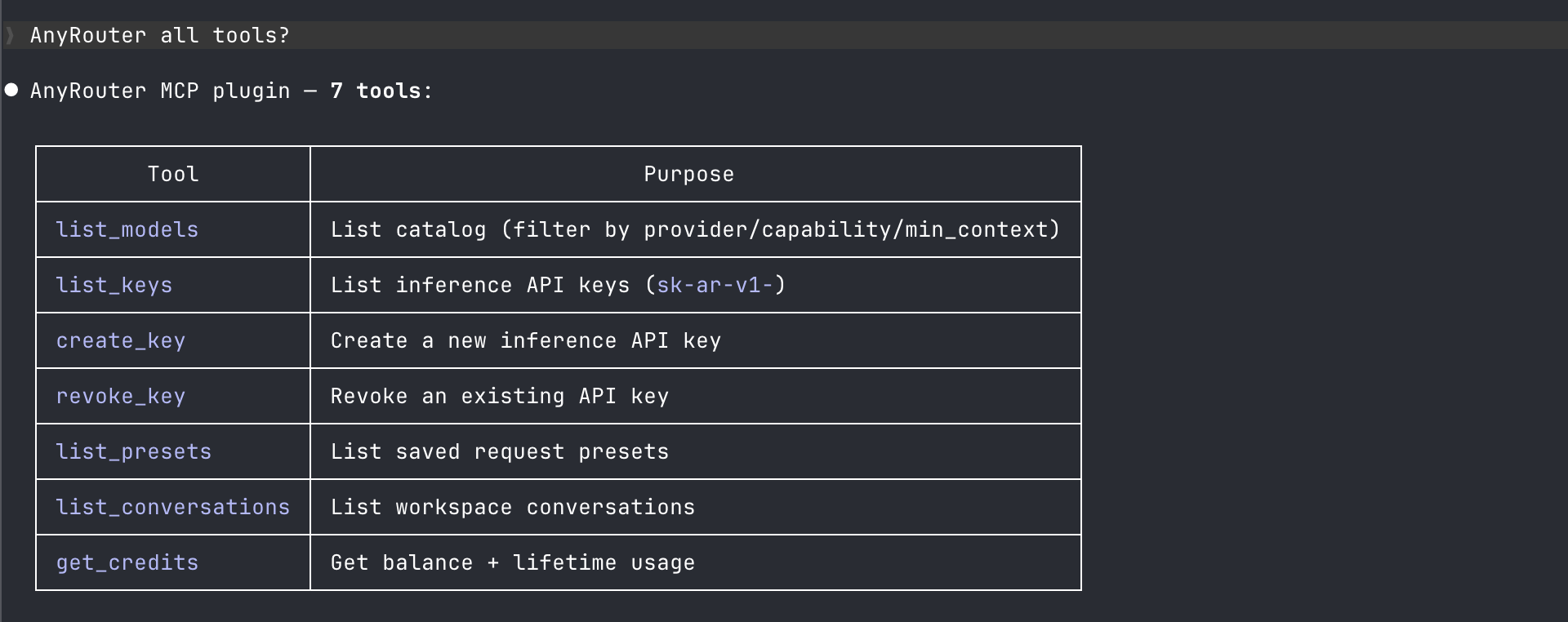
| Tool | What it does |
|---|---|
list_models | Search models your key can call (pass include_unavailable for the full catalog) |
list_okf_concepts / get_okf_concept | Browse and read AnyRouter's knowledge base |
get_credits | Check workspace balance and lifetime usage |
list_keys | List your AnyRouter API keys |
create_key | Mint a new API key |
revoke_key | Disable a key by id |
list_presets | List saved request presets |
list_conversations | Search workspace conversations |
publish_prompt / star_prompt / fork_prompt | Share, save, and fork community prompts |
publish_skill | Sync a SKILL.md to a hub so your machines and agents can install it |
get_system_status | Check AnyRouter's current health: API error rate, provider status, smoke test results |
Plus the Skills & Knowledge Hub tools — list_hubs, get_hub, search_public_hubs, create_hub, hub_add_item, and hub_import_skill — for managing hubs from inside your agent. See Skills & Knowledge Hub.
There is no chat tool — MCP clients already call models directly. Administrators see additional admin_* tools; see the MCP API reference.
Examples
Browse the catalog with list_models. Ask the client to filter by provider, capability, or context window. By default it returns models your key can actually call — pass include_unavailable if you need BYOK-only ids too.
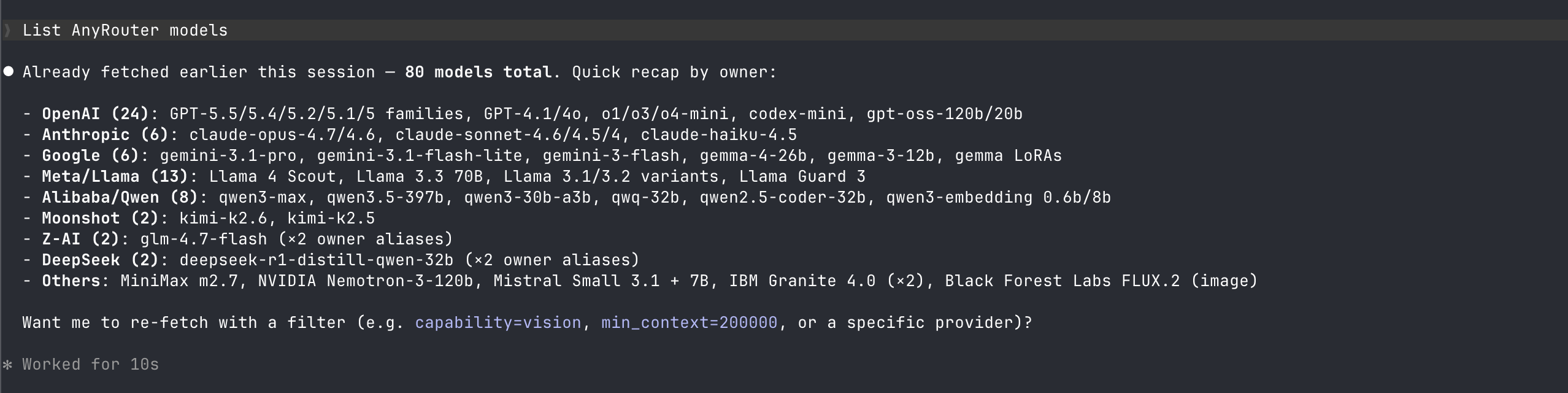
Check your balance with get_credits. Useful before a long agent run — your workspace balance, lifetime usage, and free-tier grants in one call.

See the MCP API reference for full argument schemas, scope requirements, JSON-RPC error shapes, and the manual-authentication path for clients that can't run OAuth.
Managing connected clients
The MCP dashboard shows every client that has authorized your workspace and lets you revoke any of them with one click. Revoking takes effect immediately — the next tool call from that client returns 401 Unauthorized.
Related
- MCP API reference — full tool catalog, scope rules, error shapes, manual authentication
- Skills & Knowledge Hub — the MCP hub tools for skills, prompts, and knowledge
- MCP dashboard — your connected MCP clients and revoke controls