What this is
OpenCode is an open-source coding agent for the terminal (and a desktop/IDE app). By default it talks to whatever providers you /connect — OpenCode Zen, OpenAI, Anthropic, and so on. Point it at AnyRouter instead and every session shares one sk-ar- key, one bill, and one request log with Claude Code, Codex, and the rest of your stack.
OpenCode speaks OpenAI Chat Completions. AnyRouter serves that dialect at https://anyrouter.dev/api/v1, so this is a config-only change: no OpenCode fork, no rebuild.
OpenCode the agent is not OpenCode Zen. Zen is a model API you can attach as BYOK. This guide is about driving the OpenCode TUI through AnyRouter.
Full setup guideFastest path: the anyr CLI
Install OpenCode first (curl -fsSL https://opencode.ai/install | bash, or npm install -g opencode-ai). Then one command logs you in and launches OpenCode with AnyRouter already selected:
curl -fsSL https://anyrouter.dev/setup.sh | bash
anyr login
anyr opencode
anyr opencode --model "anthropic/claude-sonnet-4.6"
anyr opencode --model "z-ai/glm-5.2"
anyr opencode --dry-run
The launcher does not write OpenCode's config files. It injects a session-only AnyRouter provider (correct base URL plus catalog context/output limits) and sets OPENAI_API_KEY so the key interpolates at runtime. Quit OpenCode and your global opencode.json is unchanged. The same stored key also powers anyr claude and anyr codex.
Anything after -- forwards to OpenCode verbatim (anyr opencode -- --help).
Persistent config: opencode.json
When you want a bare opencode command to use AnyRouter every time, register it as a custom @ai-sdk/openai-compatible provider. Export the key in your shell, then add this to ~/.config/opencode/opencode.json (every project) or ./opencode.json (this repo):
{
  "$schema": "https://opencode.ai/config.json",
  "provider": {
    "anyrouter": {
      "npm": "@ai-sdk/openai-compatible",
      "name": "AnyRouter",
      "options": {
        "baseURL": "https://anyrouter.dev/api/v1",
        "apiKey": "{env:ANYROUTER_API_KEY}"
      },
      "models": {
        "anthropic/claude-sonnet-4.6": {
          "name": "Claude Sonnet 4.6",
          "limit": { "context": 200000, "output": 65536 }
        },
        "z-ai/glm-5.2": {
          "name": "GLM-5.2",
          "limit": { "context": 1000000, "output": 65536 }
        }
      }
    }
  },
  "model": "anyrouter/anthropic/claude-sonnet-4.6"
}- Create the key in the dashboard — every inference key starts with sk-ar-.
- export ANYROUTER_API_KEY before launching.
{env:ANYROUTER_API_KEY}is the variable name, never paste the secret into the JSON. - Model map keys must be exact AnyRouter ids. OpenCode's default is
anyrouter/<id>. - If you set
limit, OpenCode 1.18+ requires bothcontextandoutput. Omitlimitentirely if you do not know the windows.
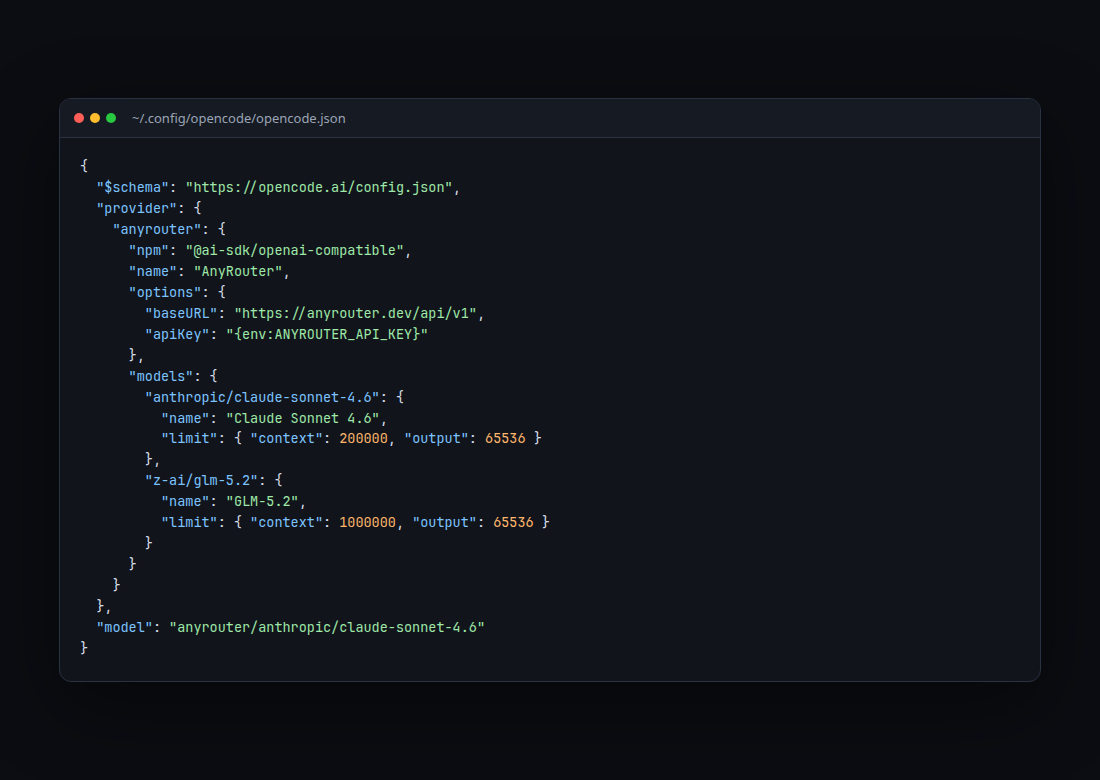
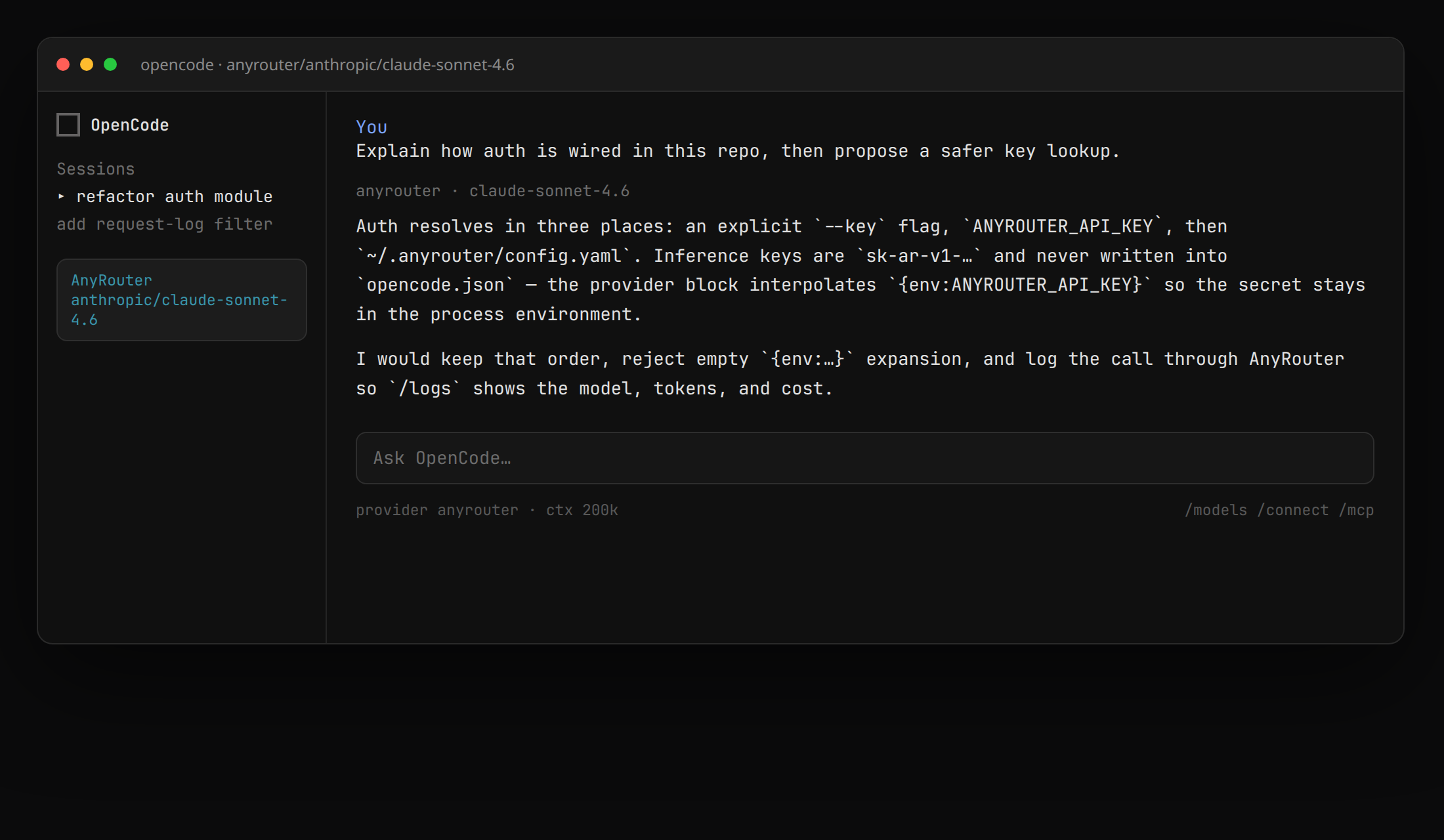
Then run opencode, open /models, and pick an anyrouter/… id.
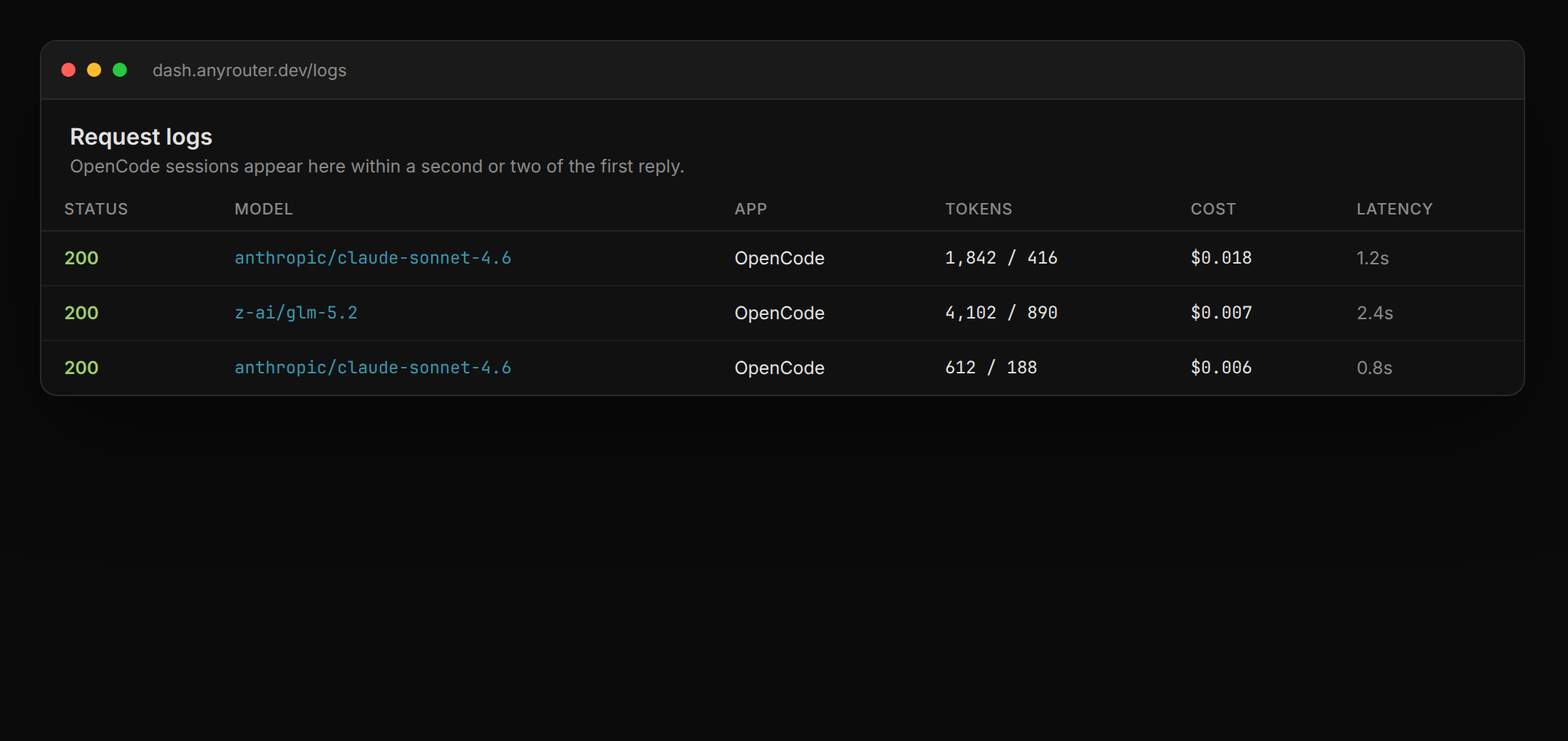
Verify it billed through AnyRouter
Send any prompt, then open request logs. The row should show the model id, tokens, cost, and latency within a second or two.
- 401 — the process does not have a live sk-ar- key. In persistent config,
echo $ANYROUTER_API_KEY. With the CLI,anyr config get. - Model not found — the map key must match a Chat Completions catalog id, not a Zen or Anthropic-native alias.
- Wrong provider answering — a /connect login for Zen can win when you launch
opencodedirectly. Pickanyrouter/…in /models, or useanyr opencode.
Where to go from here
Canonical CLI flags live at docs.anyrouter.dev/cli/opencode. The narrative walkthrough is docs.anyrouter.dev/guides/opencode. To add AnyRouter tools (credits, catalog, keys) inside the same chat, use the MCP recipe at docs.anyrouter.dev/mcp/opencode.
The same AnyRouter key also launches Claude Code and Codex. One profile, every agent.
Launch OpenCode through AnyRouter — one key, the catalog, request logs.
Open the CLIRelated posts
Run coding agents through one gateway
Point Claude Code, Codex, OpenCode, Cursor, or any OpenAI-compatible tool at AnyRouter and get one key for every model, unified billing, per-request audit logs, and app attribution. Two environment variables — or one npx command with the anyr CLI launcher.
Run Claude Code on AnyRouter — wrapper script or CLI
Route Claude Code through AnyRouter in two ways: a wrapper that installs itself and maps Opus, Sonnet, and Haiku to one catalog model (override with --model), or the anyr CLI launcher. One key, unified billing, audit logs.
Route your first request in 2 minutes
Start free with your own keys, or top up and pay per token. Get $4/mo in credits and free models on Go — $2/mo, or free when you donate a provider key.
Start free