
AnyRouter MCP with Claude Desktop
Add the AnyRouter MCP server to Claude Desktop via the built-in Connectors UI, or with a manual mcp-remote bridge.
Claude Desktop ships a Connectors UI for adding remote MCP servers, so the whole flow happens in-app. If your build predates the Connectors UI, a manual mcp-remote bridge in claude_desktop_config.json gets you there too.
-
Open Settings → Connectors → Add custom connector.
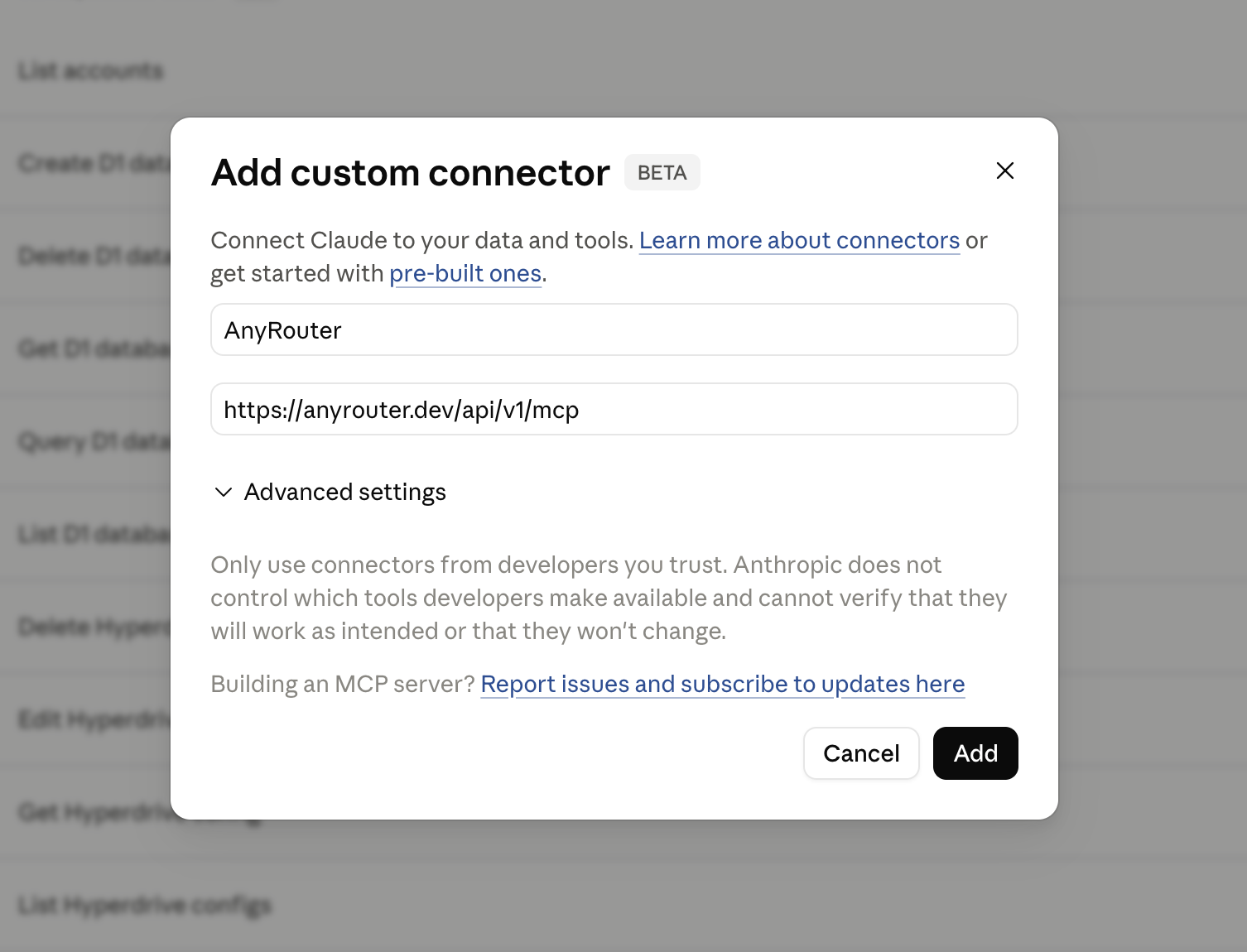
Fill in the details:
- Name:
AnyRouter - Remote MCP server URL:
https://anyrouter.dev/api/v1/mcp
Leave the OAuth Client ID and Secret empty — AnyRouter handles registration automatically (Dynamic Client Registration).
- Name:
-
Approve the OAuth consent. After clicking Add, Claude Desktop opens a browser tab at
anyrouter.dev/oauth/consent.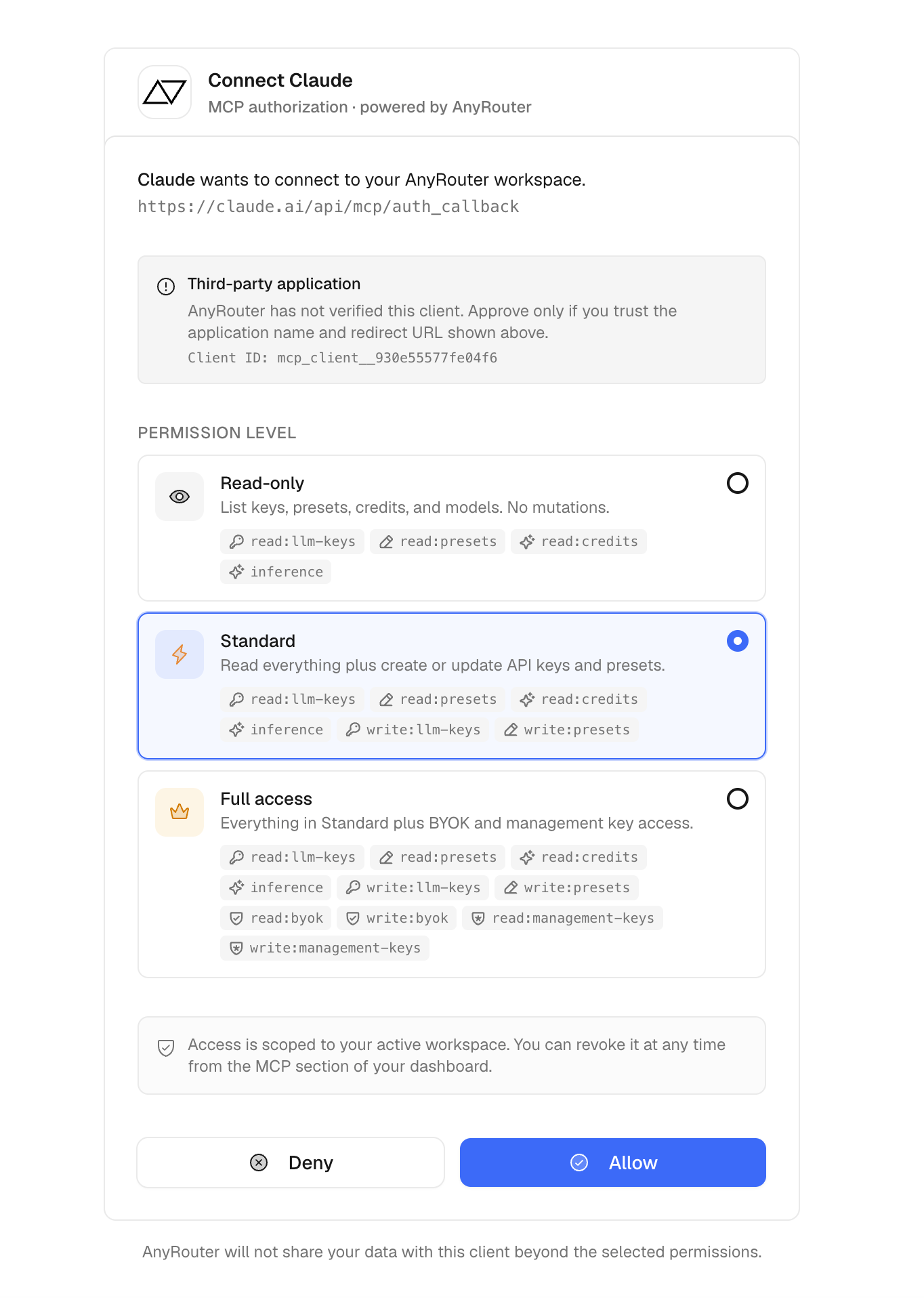
Pick a permission level — Read-only is the default and safest, Standard lets the client mint and rotate API keys, Full access also unlocks BYOK and management keys. Click Allow.
-
When the consent page closes, Claude Desktop reports the connector is connected.
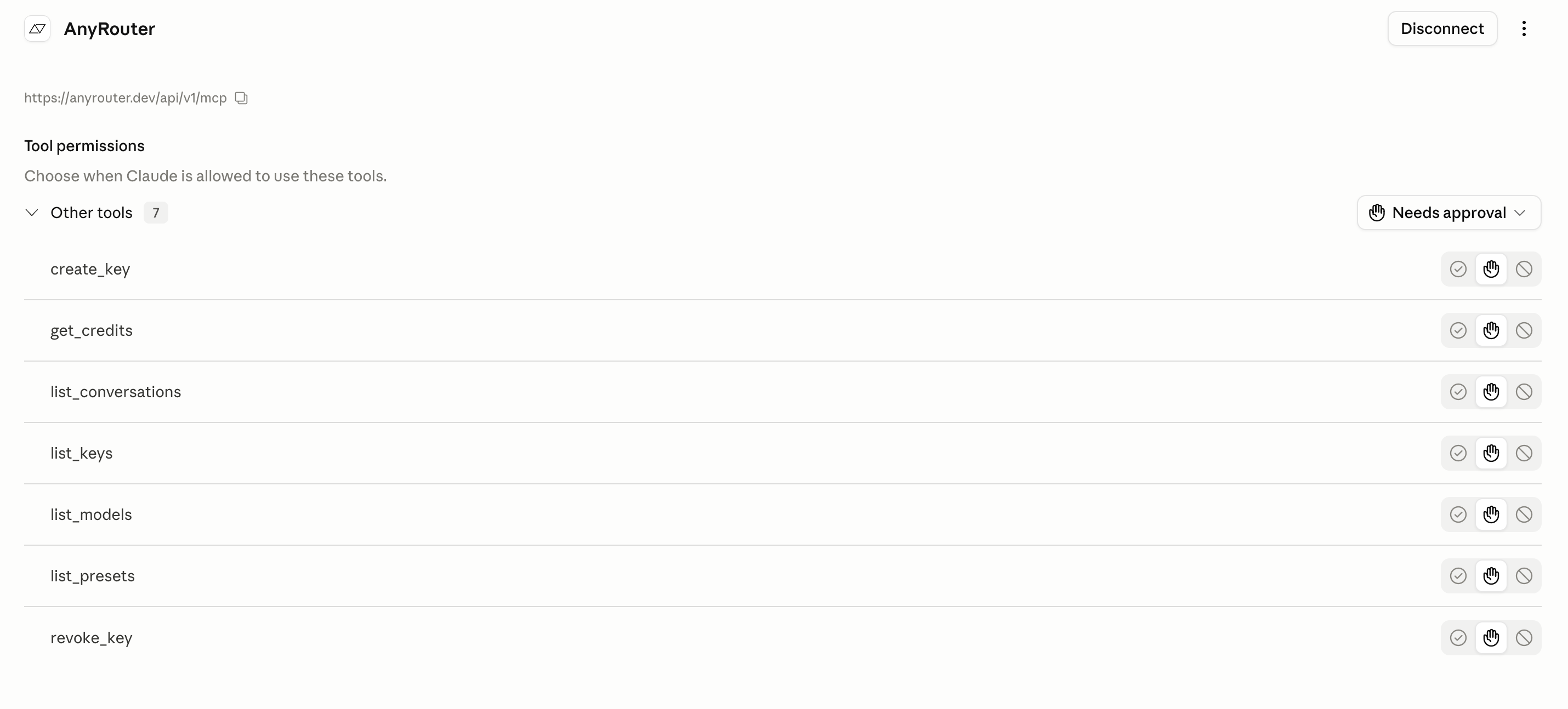
If your build has no Connectors UI, bridge the remote server through mcp-remote in claude_desktop_config.json (Settings → Developer → Edit Config):
{
  "mcpServers": {
    "anyrouter": {
      "command": "npx",
      "args": ["-y", "mcp-remote", "https://anyrouter.dev/api/v1/mcp"]
    }
  }
}
Restart Claude Desktop. The first tool call opens anyrouter.dev/oauth/consent — pick a permission level (Read-only is the default and safest) and click Allow.
Read more about permission levels in the MCP API reference.
Verify
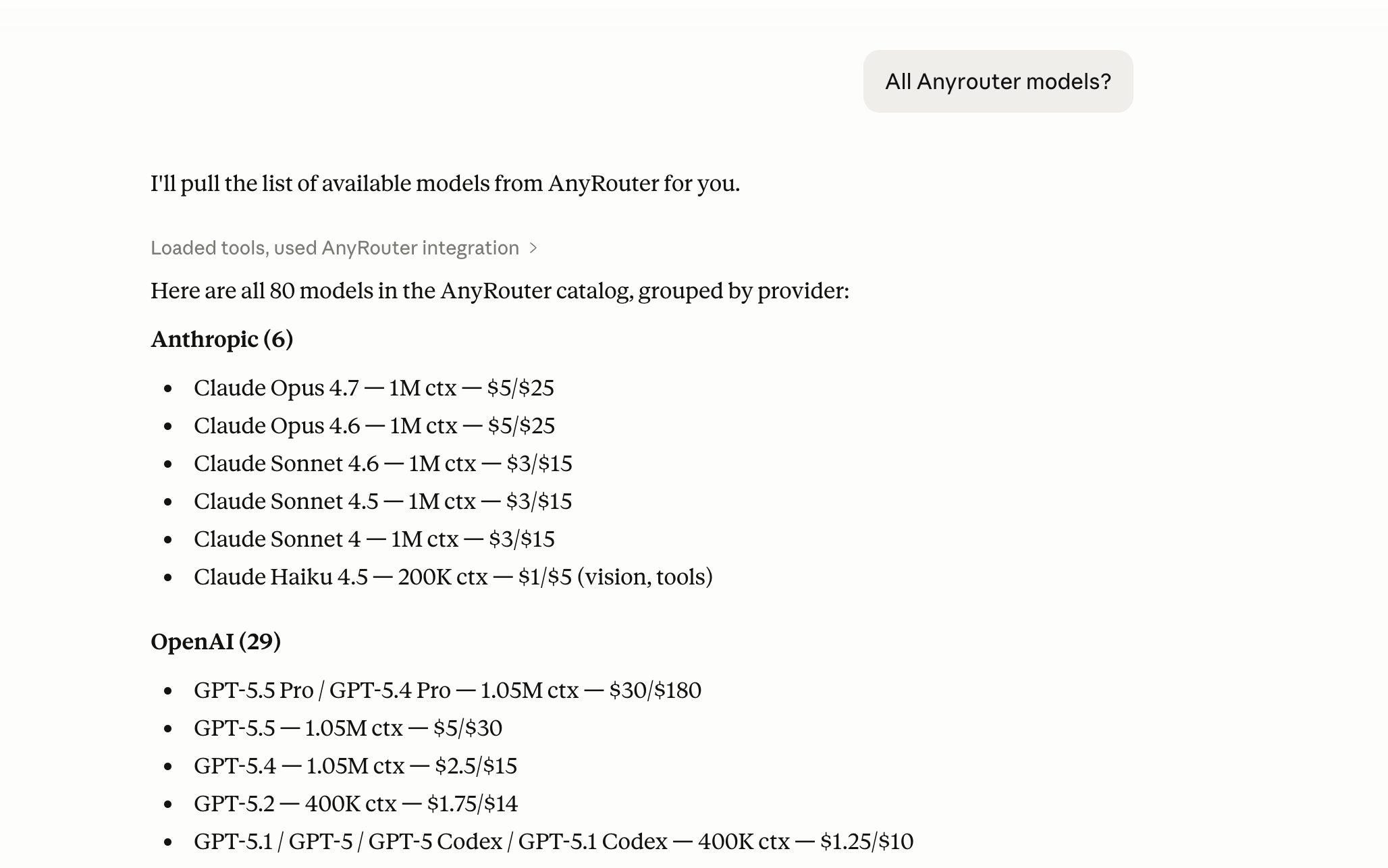
Ask Claude anything that needs your AnyRouter workspace. The first call triggers a tool invocation; later calls reuse the same authorized session.
"What AnyRouter models are available?" — Claude calls list_models and surfaces the catalog inline, handy for picking a model id without leaving the chat.
"How many AnyRouter credits do I have left?" — Claude calls get_credits and reports your workspace balance, lifetime usage, and free-tier grants.
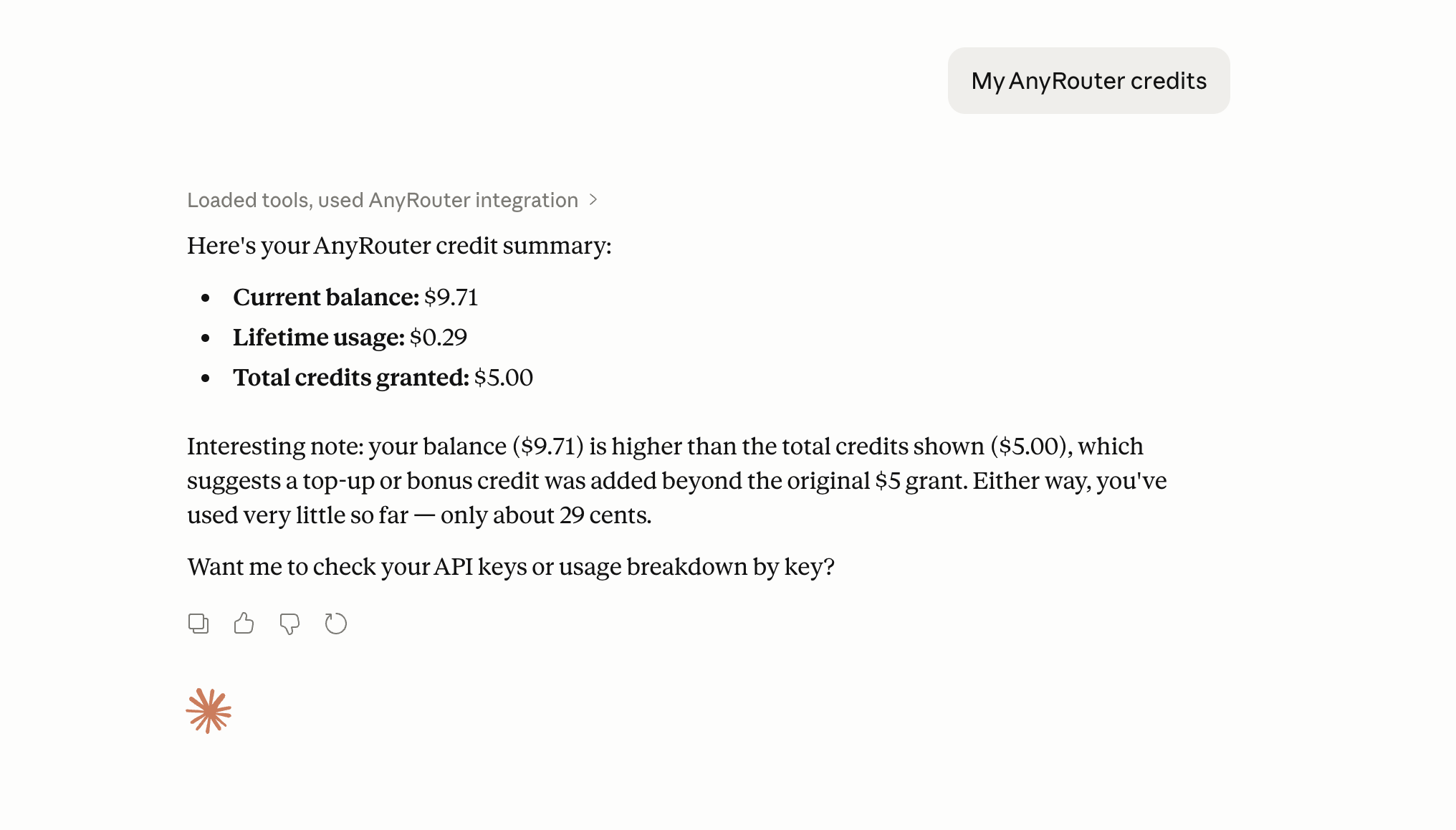
Available tools depend on the permission level you granted at consent. See the MCP overview for the full list.
Revoke
Revoke any time from your MCP dashboard. Re-adding the connector starts a fresh OAuth flow.